What Is InstaDoodle?
InstaDoodle is a cloud-based tool for making whiteboard-style explainer videos. You type an idea or paste a script, its DoodleAI engine draws the characters, props and backgrounds, and you arrange them into scenes, add animation, voice and music, and render a hand-drawn style video. Because it runs in a web browser, there is nothing to install, and it works on Mac, Windows or any device with a modern browser.
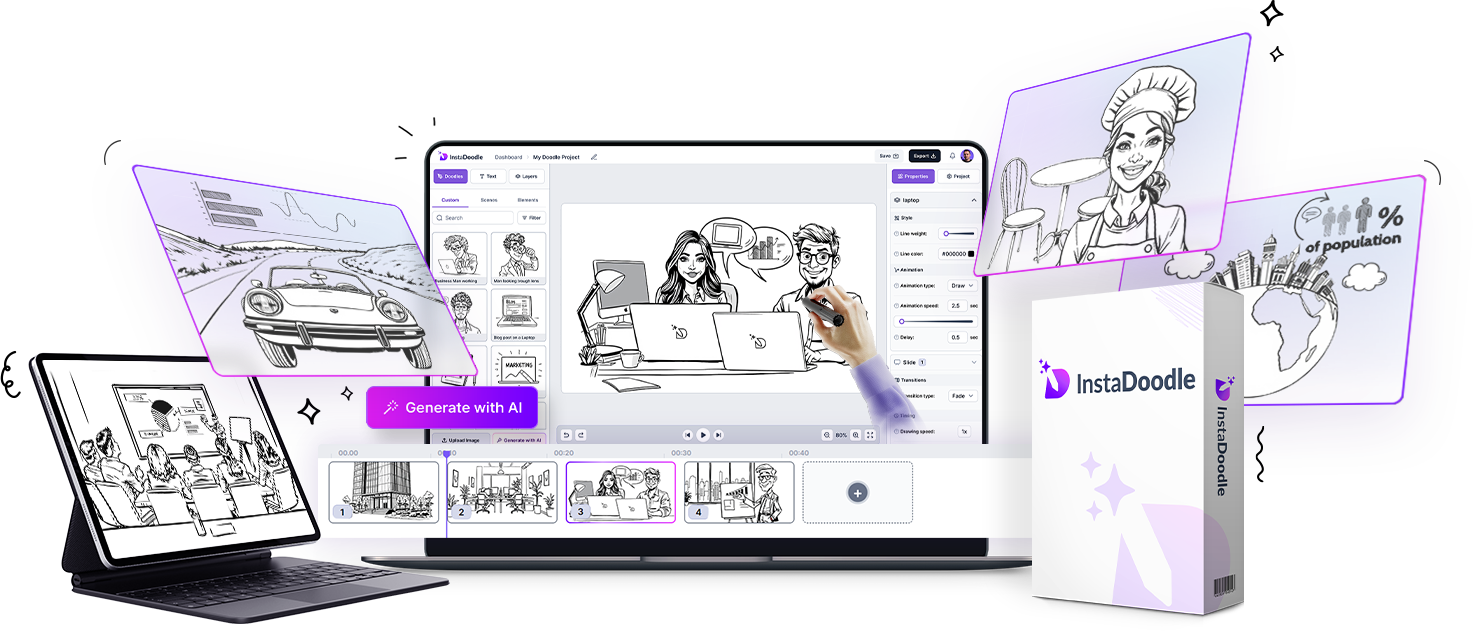
That is the short version. The longer version matters more, because the sales pages for InstaDoodle are loud, and a few of their numbers do not match each other. This page is written for people who want the facts first: what the software does, what it costs, what real users say, and where it falls short.
Independent guide: not written or reviewed by the seller of InstaDoodle. Facts checked on October 31, 2026.
We also did something most review pages skip. We read the vendor’s main site, its lifetime-offer page and the public Trustpilot profile on October 31, 2026, and we noted where they disagree. You will see those notes throughout, and they are collected in our guides on whether InstaDoodle is legit and what users say.
InstaDoodle at a Glance
Here are the key facts in one place, with the source of each.
| Topic | What we found |
|---|---|
| --- | --- |
| What it is | Cloud-based AI whiteboard and doodle video maker |
| How you use it | In a web browser, no download |
| Lifetime offer page | $37 one-time for the standard tier, $67 one-time with color support |
| Main site pricing section | Monthly plans listed at $47, $67 and $127, which conflicts with the lifetime offer |
| Free trial | None, according to the vendor’s own FAQ |
| Money-back guarantee | 60 days on the main pages, but one footer line on the offer page says 14 days |
| AI credits | 150 listed with the lifetime InstaDoodle tiers |
| Commercial license | Listed under the Pro plan on the main site, not listed on the $37 offer |
| Support | Ticket system at help.instadoodle.com |
| Trustpilot | 3.9 out of 5 from 205 reviews on October 31, 2026 |
Two rows deserve a second look. The price and the guarantee are not stated the same way everywhere, so you should confirm both on the checkout page before you pay. Our lifetime deal guide and refund guide explain how.
The Problem InstaDoodle Tries to Solve
Explainer videos work because they turn a complicated idea into a short visual story. A hand drawing a diagram while someone talks is easy to follow, and viewers tend to wait to see what gets drawn next. The trouble has always been the production.

Until recently you had three realistic options. You could learn video software with a steep learning curve. You could hire a freelancer, which costs money and time, and the vendor’s own page shows a marketplace listing priced at about $120 for a short whiteboard video. Or you could use generic templates that make every video look like everybody else’s.
InstaDoodle aims at the gap between those options. The pitch is that a teacher, a small business owner or a creator with no design background can describe a scene in plain words, let the AI draw it, and finish a video in a single sitting. Whether that works well for you depends on your expectations, and later sections cover the limits.
InstaDoodle Features That Matter
The vendor lists many features. These are the ones that shape the experience, based on the main site and the lifetime-offer page.
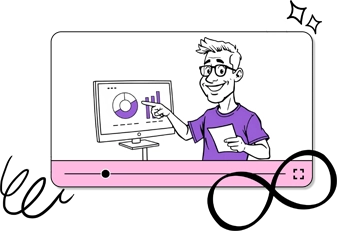
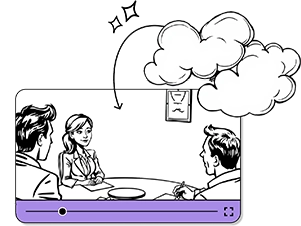
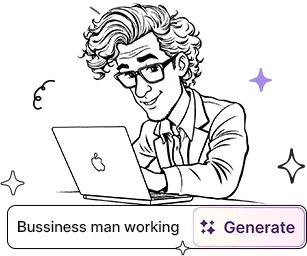


DoodleAI engine
You type a prompt such as a person at a desk or a coffee cup, and the engine generates a doodle character or element. You can switch between styles, including caricature, cartoon and realistic looks, and in the color tier you can generate color elements. You can also click an element and ask for new variations.
A library you can drag from
The software includes more than 1,000 ready-made doodles, 14 or more project templates, custom backgrounds such as blackboards, greenboards, blueprints and math paper, and a selection of drawing hands. If you do not want to wait for the AI, you can build scenes from the library.
Your own images
An image-to-sketch converter redraws a photo or logo in a doodle style, and a built-in image editor offers freehand drawing, fill, an eraser and background removal.
Animation and layout
Elements can be drawn on, wiped in, slid, faded or popped in, and slides can use transitions such as fade, wipe, push and iris. Projects can be set to 16:9, 9:16, 4:5 or square, which covers YouTube, Stories and feeds.
Sound and rendering
You can upload or record a voiceover and add background music. AI voices are sold as a separate add-on, and the checkout we viewed offered a six-voice pack for $27 against a listed normal price of $47. Rendering happens on the vendor’s servers, so you do not need a powerful computer.
We go through each of these, including the limits, in our features guide.
How InstaDoodle Works
The vendor describes the process as three clicks. In practice it is three stages, and knowing them helps you plan.
- Type your idea. Describe what you want in plain words. DoodleAI generates characters, elements or backgrounds from your text.
- Compose the scenes. The software places your characters, props and backgrounds into scene layouts, and you adjust size, position and timing in a drag-and-drop editor.
- Add animation and export. Choose how each element appears, add transitions, voiceover and music, then render in the cloud and download.
The part the sales page skips is the thinking. A good video starts with a script, and a script that is written in short, visual sentences produces better scenes than a long, abstract one. We cover a workable routine in our how to use InstaDoodle guide, and the general craft in our whiteboard animation guide.
Who InstaDoodle Is For
It tends to suit people who need simple, friendly explainer videos regularly and do not want to learn animation.
- Teachers and trainers who turn lessons and onboarding steps into short videos.
- Small businesses and marketers who want product explainers, ads or social clips without hiring someone each time.
- Course creators and coaches who need lesson visuals.
- Faceless YouTube and social creators who want a consistent drawn style.
- Freelancers who offer simple explainer videos, once they have confirmed the commercial license terms.
It is a weaker fit if you need cinematic animation, precise control over several elements drawing at the same moment, specialist illustrations such as detailed anatomy, or photo-realistic AI images. Those are the areas where some InstaDoodle users report disappointment, and we describe their comments below.
Pros and Cons of InstaDoodle
Pros
- It runs in the browser, so setup is quick and works across devices.
- The interface is described by many users as easy for beginners.
- A large built-in library means you are not forced to rely on AI for every element.
- The lifetime offer, if it is the plan you buy, avoids a monthly subscription.
- Support responds to tickets, and many Trustpilot reviewers praise it.
- A money-back guarantee is advertised, so a trial is possible.
## Cons
- There is no free trial or free version.
- AI-generated images can contain errors or look dated, according to several reviewers.
- Heavy projects with many slides can render and save slowly, according to Trustpilot’s summary.
- Credits, add-ons and higher tiers can raise the total cost, and some reviewers describe frequent upselling.
- Prices, InstaDoodle plan names and the guarantee period are inconsistent across the vendor’s own pages.
- Elements appear one after another, and some users want more control over simultaneous drawing.
What Real Users Say About InstaDoodle
Trustpilot is a useful check because the vendor does not control it. On October 31, 2026 the InstaDoodle profile showed 3.9 out of 5 from 205 reviews, with about 55 percent five-star, 16 percent four-star, 6 percent three-star, 5 percent two-star and 18 percent one-star. Trustpilot notes that it does not fact-check individual claims.
The praise clusters around ease of use and customer support. Reviewers say the tool is simple to start, that the support team replies quickly and that the price looks fair for what it does. The criticism clusters around AI image quality, slow performance on bigger projects, and the feeling that extras keep appearing at checkout and afterwards.
Compare that with the sales material. The offer page speaks of 3,000-plus reviews, an “Excellent” Trustpilot rating from 800-plus reviews, and users counted anywhere from 40,000 to 90,000 depending on the page. The public profile does not show numbers that large. Read the full breakdown in our InstaDoodle reviews guide.
InstaDoodle Price and Plans
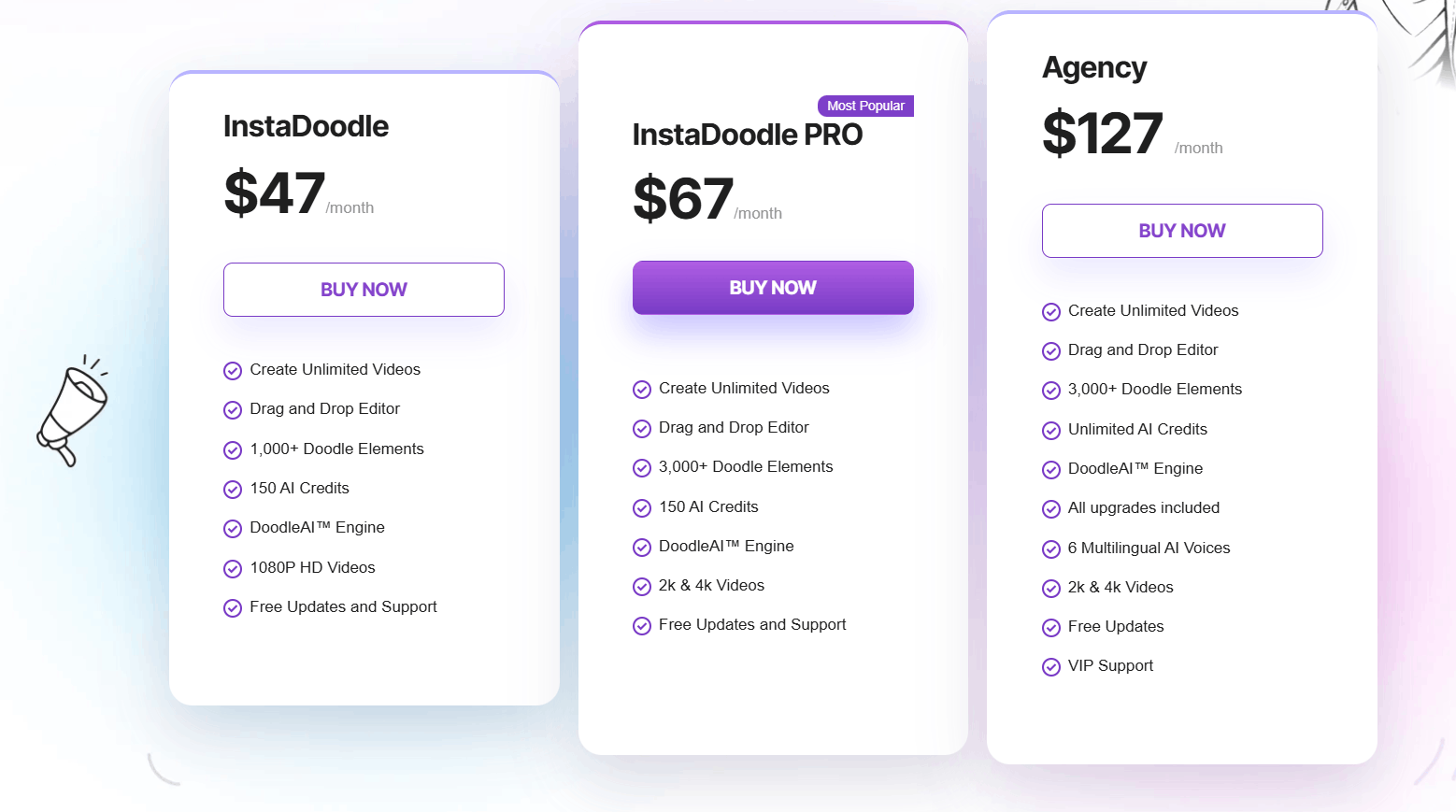
This is where care is needed. The lifetime-offer page lists a $37 one-time tier and a $67 one-time tier with color support. The main site, on the same day, lists monthly plans of $47, $67 and $127 and says you can cancel anytime. The checkout we saw described a one-time payment with no monthly subscription. Trustpilot reviewers mention both a monthly basic plan and a lifetime deal.
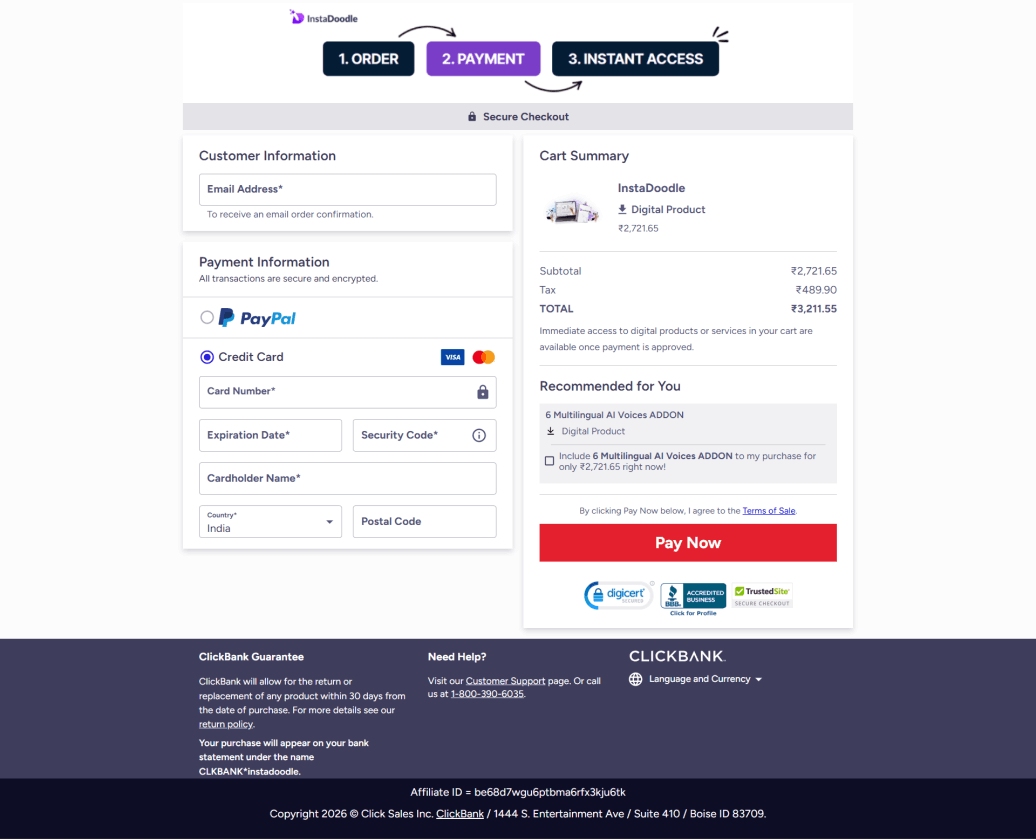
The safest reading is that different offers exist at different times and on different pages, so the page behind your button decides what you buy. Before paying, check these points on the checkout page:
- Is the charge one-time or monthly, and for how long?
- Does the tier include color elements, or only black-and-white?
- How many AI credits are included, and what happens when they run out?
- Which add-ons are pre-selected, such as AI voices?
- Is a commercial license included, if you plan to sell videos?
The vendor’s marketing says that creating videos is unlimited, and videos are, but the InstaDoodle AI credits that generate new images are a separate allowance. For the full breakdown see our lifetime deal and pricing guide.
InstaDoodle vs Hiring a Freelancer
A freelancer gives you judgment, original art and someone to blame if it goes wrong. InstaDoodle gives you speed, repeatability and a flat cost. Neither is better for every job.
| Need | Freelancer | InstaDoodle |
|---|---|---|
| --- | --- | --- |
| One polished brand video with custom art | Strong | Weaker |
| Ten lesson videos a month | Expensive | Strong |
| Fast changes to a script | Slower | Fast |
| Unique illustrations | Strong | Limited by library and AI |
| Predictable cost | Varies | Fixed or low |
Many people end up using both: InstaDoodle for volume and a freelancer for flagship pieces. If you are comparing other software too, see InstaDoodle alternatives.
Real-World Uses: What People Make With InstaDoodle
It helps to picture the finished product. Based on the vendor’s examples and what reviewers describe, these are the kinds of videos people make with InstaDoodle.

- Lessons and explainers. A teacher turns a topic into a two-minute video for students, such as fractions, a historical event or a science process. Reviewers mention lessons and educational clips, and one mentioned a video about history.
- Training and onboarding. A company explains a new process or tool to staff. One reviewer described using InstaDoodle for exactly this purpose.
- Product and service explainers. A small business shows a customer problem, its solution and a call to action in under a minute.
- Social clips. A creator turns a podcast point or a blog tip into a vertical doodle video for reels or shorts.
- Affiliate and review videos. Marketers make short explainers around products, though they should disclose any commission.
- Presentation-style videos. A speaker converts slides into a narrated, drawn walkthrough.
Each of these uses the same core skills: a tight script, a clean scene list and consistent visuals. InstaDoodle speeds up the drawing and animation, and you supply the idea and the voice. If you want help with the craft, our whiteboard animation guide covers scripts, pacing and voice in detail.
InstaDoodle for US Buyers: What to Know
Most people who search for InstaDoodle from the United States want the same few things: the price in dollars, whether it is safe to pay, and what happens if they want out. Here is the short version for US buyers.
- Prices are in US dollars. The offers we saw were listed as $37 and $67, and the monthly plans as $47, $67 and $127.
- Taxes may be added. Depending on your state and the payment processor, sales tax or similar charges can appear at checkout, so look at the final total, not the headline price.
- Your card statement may show a processor name, such as CLKBANK, instead of InstaDoodle.
- You have consumer protections. The Federal Trade Commission accepts reports at ReportFraud.ftc.gov, your state attorney general handles consumer complaints, and card issuers run dispute processes with time limits, often around 60 days from the statement date.
These examples are hypothetical, and they show how the software might fit different US users.
| Example user | What they might make | What to check first |
|---|---|---|
| --- | --- | --- |
| A middle-school teacher in Texas | Short lesson explainers | District rules on cloud tools, and student privacy laws such as FERPA |
| A bakery owner in Ohio | A how-to-order video for social media | Which plan allows commercial use |
| A real-estate agent in Florida | A neighborhood or process explainer | Commercial license and brokerage rules |
| A YouTube creator in California | Faceless educational videos | Credits, render speed and sponsorship disclosure rules |
None of this is legal advice, and rules vary by state and by school district. It simply shows why the checkout details matter more than the headline price.
The Money-Back Guarantee: Read the Fine Print
The vendor advertises a 60-day money-back guarantee on its main pages, in its FAQ and next to each buy button. However, one line in the footer of the lifetime-offer page mentions 14 days, and other affiliate sites quote 30 days. We cannot tell you which is binding for your order. Treat the checkout page and your receipt as the final word.
What to do: screenshot the guarantee wording on the day you buy, start using InstaDoodle within a week, and decide well before day 14, just in case. If you need a refund, the vendor says to contact support. Our refund and free trial guide lists the steps.
The Verdict: Is InstaDoodle Worth It?
InstaDoodle looks like a real, working product with a responsive support team and a design that beginners find easy. It is not magic. The AI images need patience, the pricing needs careful reading, and the marketing numbers should not be taken at face value.
It makes sense if you want simple whiteboard explainers, you are comfortable with an imperfect AI and you will use the refund window to test it. It does not make sense if you want cinematic results, expect everything to be included in the lowest price or hate any form of upselling.
If you are leaning yes, read the price guide first, then the legitimacy check. If you are unsure, test the idea for free with a script and a pencil sketch, then decide.
Want to Check the Current InstaDoodle Offer?
From $37
See the live price and terms on the vendor checkout. A 60-day money-back guarantee is advertised.
Check InstaDoodle PriceQuestions About InstaDoodle
What is InstaDoodle used for?
InstaDoodle is used to make whiteboard-style explainer, training, sales and social videos from text prompts and a library of doodles, all in a web browser.
Is InstaDoodle a one-time payment or a subscription?
Both appear on the vendor’s pages. The lifetime-offer page lists $37 and $67 one-time tiers, while the main site shows monthly plans. Confirm which one your checkout shows before you pay.
Does InstaDoodle have a free trial?
No. The vendor’s FAQ says it offers no free version or trial, and points to its money-back guarantee instead.
How long is the InstaDoodle money-back guarantee?
The main pages say 60 days. One footer line on the offer page says 14 days. Check your checkout page and keep a screenshot.
Can I use InstaDoodle videos commercially?
The main site lists a commercial license under the Pro plan. The $37 offer page does not list one, so ask support in writing before you sell videos or make client work.
Does InstaDoodle limit how many videos I can make?
The vendor says you can create unlimited videos. AI image generation, however, uses credits, and the lifetime tiers list 150.
Is InstaDoodle legit?
It appears to be a real company with working support and a refund route. Its marketing numbers are inconsistent, so rely on Trustpilot and your own test.
Do I need to install anything?
No. It is cloud-based and runs in a browser on Mac, Windows and other devices.
How We Checked This Page and Sources
We read the vendor’s main site and lifetime-offer page and the public Trustpilot profile on October 31, 2026, and we noted every place where they disagree. Product facts come from the vendor, user feedback comes from Trustpilot, and refund advice comes from the vendor’s help center.
- InstaDoodle main website: pricing, features and FAQ
- InstaDoodle lifetime offer page
- InstaDoodle reviews on Trustpilot
- InstaDoodle help center
We are an independent review site and have not tested every feature ourselves. We cannot see your account or order, and prices and terms change, so confirm them on the vendor’s checkout. If you spot a mistake, please tell us through the contact page. You can read how we work on our about page.
More InstaDoodle Guides
Ready to Look at InstaDoodle Yourself?
From $37
Check the live offer, then keep your receipt and the refund terms. See our refund guide first if you want the steps.
Check InstaDoodle Price