Choosing Between InstaDoodle and Its Alternatives
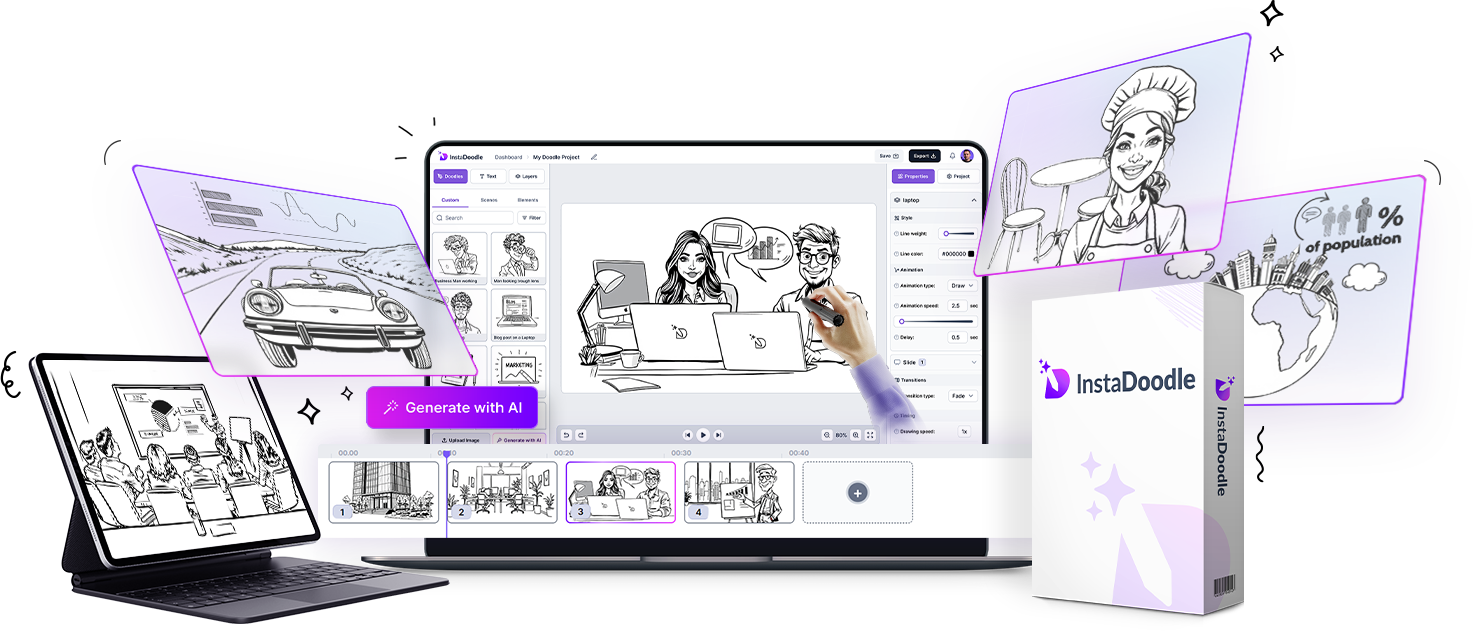
Nobody should buy a video tool because one sales page says it is the best. A better question is which kind of tool matches the videos you actually make, the money you want to spend and the effort you are willing to put in. InstaDoodle is one answer: a cloud-based whiteboard animation maker that adds AI image generation to a library of ready-made doodles. There are several others, and this guide shows how they differ.
A note on method. We have not tested every product mentioned here, and software pricing and features change often. So we compare categories and the questions that matter, and we ask you to confirm current details on each vendor’s own site. For InstaDoodle’s own facts we rely on the vendor’s pages and public Trustpilot reviews, read on October 31, 2026.
Independent guide: not written or reviewed by the seller of InstaDoodle. Facts checked on October 31, 2026.
The Main Types of Alternative
Instead of a long list of brand names, it helps to think in five groups.
| Group | Examples | What they are good at | What to watch |
|---|---|---|---|
| --- | --- | --- | --- |
| Whiteboard specialists | Doodly, VideoScribe, DoodleMaker-style tools | Hand-drawn explainer look | Pricing model, library size, AI features |
| All-round animation platforms | Animaker, Powtoon, Vyond | Characters, scenes and corporate styles | Subscription cost, learning curve |
| Design tools with animation | Canva | Quick social and slide-style videos | No true hand-drawing effect |
| People | Freelancers and agencies | Original art and judgment | Cost, time, revisions |
| Do it yourself | Slides with narration, screen recording | Free or cheap, fully in your control | Time, polish |
InstaDoodle sits in the first group but with a stronger AI angle than some of the older whiteboard tools, and a lower entry price if you take the lifetime offer. That is its main appeal, and its main risk, since AI quality varies and pricing needs careful reading. Our lifetime deal guide explains the second point.
InstaDoodle vs Doodly
Doodly is one of the best-known whiteboard animation tools, and the vendor’s own sales page names it as a comparison. People who search for InstaDoodle vs Doodly usually want to know three things.
- Style and library. Both aim at the hand-drawn explainer look. The main practical differences are the size and style of each library and how well each tool produces custom elements. InstaDoodle leans on AI generation for custom characters, with a library of 1,000-plus doodles.
- How you run it. InstaDoodle is cloud-based, so it runs in a browser. Check whether Doodly runs as installed software or online today, because that affects the devices you can use.
- Cost model. Check whether each is a subscription, a one-time purchase or both right now, and which features each tier unlocks.
We are not going to state Doodly’s current price or feature list, since both change and we have not verified them for this guide. The way to compare is to list your must-have features and check each tool’s current page for them.
InstaDoodle vs VideoScribe
VideoScribe is another long-standing whiteboard tool. It is typically aimed at teachers, marketers and trainers, which makes it a close match for InstaDoodle’s audience. The same checklist applies: library, AI features, workflow, export options and cost model. Because VideoScribe has been around for longer, you may find more tutorials and community examples. Because InstaDoodle is newer and AI-driven, its strength is quick generation of custom elements, and its weakness, according to reviewers, is how reliable that generation is.
InstaDoodle vs Animaker, Powtoon and Vyond
These are broader platforms. They offer characters, scenes, templates and corporate-style animation, and often include a whiteboard style as one of several options. They suit teams that produce a variety of videos, such as presentations, training and marketing, and want one place for all of them.
Compared with InstaDoodle, they usually offer more variety and more polish for character animation, but a steeper learning curve and a subscription price. If your goal is specifically the classic hand-drawn whiteboard look, a specialist tool is usually simpler. If you want many styles, a broader platform may serve you better. Check each platform’s current plans before deciding.
InstaDoodle vs Canva
Canva is a general design tool that has added animation and video. It is excellent for social posts and slide-style videos, and many people already use it. It does not offer the signature effect where a hand draws each element on screen, so it is not a true whiteboard animation tool. If you only need a short, clean social video, Canva might be enough. If you want the drawn-by-hand explainer look, InstaDoodle or another specialist is closer to what you want.
InstaDoodle vs Hiring a Freelancer
A freelancer gives you original artwork, a human sense of story and fewer technical headaches. The cost is higher, the turnaround is slower, and each revision may cost more. The vendor’s own page shows a marketplace listing at about $120 for a short whiteboard video, which gives a feel for the entry level, though quality and price range widely.

| Need | Freelancer | InstaDoodle |
|---|---|---|
| --- | --- | --- |
| One flagship brand video | Strong | Weaker |
| Regular lessons or posts | Expensive | Strong |
| Quick script changes | Slower | Fast |
| Original illustration | Strong | Limited by library and AI |
Many people use both: a tool for volume, and a freelancer for a few important pieces.
The Free Route
You can learn a lot before spending anything. Try a slide deck with narration, a screen recording tool or simple hand-drawn sketches filmed with a phone. None of these gives the polished whiteboard effect, but they let you test your scripts and your audience’s response. If a free version of the video does well, a paid tool becomes an easier decision.
A Scoring Worksheet
Use this table to compare any two tools. Give each criterion a score from 1 to 5 based on your needs, then multiply by how important it is to you.
| Criterion | Questions to ask |
|---|---|
| --- | --- |
| Style | Does it produce the look I want? |
| Ease | Can I finish a first video in a weekend? |
| AI generation | How good is it, and what does it cost in credits? |
| Library | Does it cover my topics? |
| Voices | Can I use my own voice, and are AI voices good enough? |
| Output | Which resolutions and aspect ratios are included? |
| Licence | Can I use videos commercially on my plan? |
| Reliability | How does it perform on long projects? |
| Support | How fast and helpful is it? |
| Total cost | What do I pay over two years including add-ons? |
Fill it in for InstaDoodle using our features guide and our reviews guide, then fill it in for one alternative. The difference will tell you more than any rating.
When InstaDoodle Makes Sense
InstaDoodle is a reasonable choice if you want:
- the whiteboard look specifically;
- a browser-based tool with no install;
- AI help for custom elements, accepting that it needs regeneration;
- a simple pricing structure, if the one-time offer is what you get; and
- a money-back guarantee to test it, with the details confirmed on your checkout.
It is less suitable if you need cinematic animation, a vast library of specialist illustrations or a tool proven on very long projects.
When to Look Elsewhere
Consider another option if you need advanced character animation, photo-realistic AI, complete control over simultaneous motion or a commercial license that you cannot confirm. Also consider another option if you dislike upsells and the add-on structure bothers you. Reviewers on Trustpilot raised these points, and it is better to know before you buy than after.
For help with the craft of videos in any tool, see our whiteboard animation guide. For the legitimacy and refund side, see is InstaDoodle legit.
Licensing and Ownership: Read Before You Sell
If you plan to use videos commercially, a tool’s license matters as much as its features. Questions worth asking of any whiteboard or animation tool include whether commercial use is allowed on your plan, whether you may sell videos to clients, whether stock elements can be used in logos or trademarks, and whether you keep rights to your own scripts and voice recordings.
AI-generated images add another layer. Rules on who owns AI output vary by tool and by country, and they are still developing. Do not assume that generated images are exclusive to you. Read the terms, and if the content is central to your business, ask the vendor a direct question and keep the written answer.
A Method for Comparing Cost Over Two Years
The headline price is the least useful number. A better method is to add up what you would really pay over 24 months.
- Write down the price of the plan you need, not the cheapest plan.
- Multiply monthly plans by 24, and annual plans by two.
- Add the add-ons you will really use, such as voices or credits.
- Add the cost of anything you must buy elsewhere, such as stock music.
- Subtract nothing for features you will not use.
- Compare the totals, then compare what each total buys.
A one-time offer usually wins on this method, provided it includes what you need. A subscription can still be right if you will use advanced features, want regular updates to the plan or only need the tool for a few months.
Teams and Agencies
If several people will use the tool, look for shared accounts, role controls and enough export capacity. Broader platforms tend to be built for teams, while some specialist tools are built for individuals. Check how many users a plan allows, and whether client work needs a higher tier.
Switching Costs
Before you commit to any tool, think about leaving. Keep your scripts and voice recordings outside the app, save your finished videos locally and note which images you uploaded. Then if you move to another tool later, you will lose little. This habit also protects you if a cloud service changes its terms or closes.
Three Short Scenarios
A teacher with a tight budget. A free slide tool with narration may cover most needs at first. If lessons need the drawn look, a lifetime-priced whiteboard tool is worth testing within its refund window.
A freelancer selling explainers. License terms and export quality decide this one. Compare commercial rights and resolution on each plan in writing before paying, because rework after a client project is expensive.
A solo founder with a product launch. One hero video may justify a freelancer, while a set of quick explainers and social clips suits a tool. Mixing the two is common and sensible.
Key Takeaways
- InstaDoodle is a cloud-based whiteboard tool with AI generation and a doodle library.
- Specialist tools suit the hand-drawn look, and broader platforms suit many styles.
- Compare cost over two years, including add-ons, not just the headline price.
- Free options are worth trying before paying for InstaDoodle or any rival.
- Use a scoring worksheet to compare InstaDoodle with one alternative.
Want to Check the Current InstaDoodle Offer?
From $37
See the live price and terms on the vendor checkout. A 60-day money-back guarantee is advertised.
Check InstaDoodle PriceInstaDoodle Alternatives
What is the best alternative to InstaDoodle?
It depends on your needs. Doodly and VideoScribe are well-known whiteboard tools, Animaker, Powtoon and Vyond are broader platforms, and Canva suits simple social videos.
Is InstaDoodle better than Doodly?
We cannot say it is better. They differ in library, AI features, how you run them and cost. Compare current details on both vendors’ sites using the worksheet above.
Is there a free alternative to InstaDoodle?
Yes, in a loose sense. Slides with narration, Canva’s free options and screen recording can test your scripts, though none produces the same drawing effect.
Does InstaDoodle have a free trial?
No. The vendor’s FAQ says there is no free trial, and points to its money-back guarantee instead.
Should I hire a freelancer instead of using InstaDoodle?
For one important brand video, a freelancer may be better. For regular lessons or posts, InstaDoodle may be cheaper and faster. Many people use both.
How We Checked This Page and Sources
We compared InstaDoodle’s own pages with the way each category of tool is generally sold. We did not verify competitors’ current prices, so please confirm them on each vendor’s site.
- InstaDoodle main website: pricing, features and FAQ
- InstaDoodle lifetime offer page
- InstaDoodle reviews on Trustpilot
We are an independent review site and have not tested every feature ourselves. We cannot see your account or order, and prices and terms change, so confirm them on the vendor’s checkout. If you spot a mistake, please tell us through the contact page. You can read how we work on our about page.
Keep Reading
Ready to Look at InstaDoodle Yourself?
From $37
Check the live offer, then keep your receipt and the refund terms. See our refund guide first if you want the steps.
Check InstaDoodle Price